
Roles: Owner, Show Manager and Associate
What each member role can see and change, and how show assignments limit Associates.
Every member of your organization has one of three roles. The role decides which parts of the workspace they can see and change. Owners and Show Managers set roles from Members. See Invite your team.
The three roles
| Owner | Show Manager | Associate | |
|---|---|---|---|
| Shows they can work on | Every show | Every show | Only shows assigned to them |
| Show tools (maps, sales, exhibitors, emails, Homebase, mobile app and more) | Yes | Yes | Yes, on assigned shows |
| Invite and manage members | Yes | Yes | No |
| Review and sign out sessions | Yes | Yes | No |
| Company settings and branding | Yes | No | No |
| API keys | Every key | Keys for single shows | Keys for their assigned shows |
Owner
Full control of the organization: every show, company settings, members and every API key, including keys for all shows. New members are always invited as a Show Manager or Associate. Only an Owner can make someone else an Owner, by editing their role afterwards. Keep the number of Owners small.
Show Manager
Manages every show in the organization, plus members and sessions. Show Managers can create API keys for chosen shows, but not keys for all shows, and cannot change company settings.
Associate
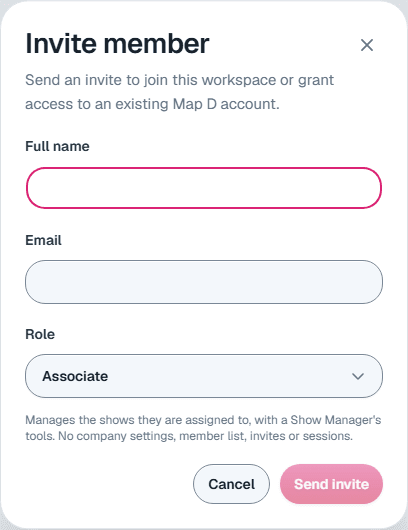
Manages the shows they are assigned to, with the same show tools a Show Manager has, including API keys for those shows. Associates do not see the member list, invites, sessions or company settings.
Assign shows to an Associate
Open Members
Select Members in the organization sidebar.Edit the member
Open the menu on the member's row and select Edit. Make sure their Role is Associate.
Choose their shows
Under Assigned shows, pick the shows they should work on, then select Save changes.
An Associate with no shows selected can still sign in, but sees no shows. To check who is assigned to a show, open that show's Team page. It lists assigned people only, since Owners and Show Managers already reach every show.
What only Map D can change
Some show settings are managed by Map D for every role, including Owners: creating, copying or archiving a show, the show's core details and venue, sponsors and sponsor levels, and show documents. Contact Map D when you need one of these changed.
Still need help?
Contact your Map D account team. Include your show name and, if something looks wrong, a screenshot of the page.
Last updated September 29, 2026