
View your orders
See what you have bought for a show, and what each payment and order status means.
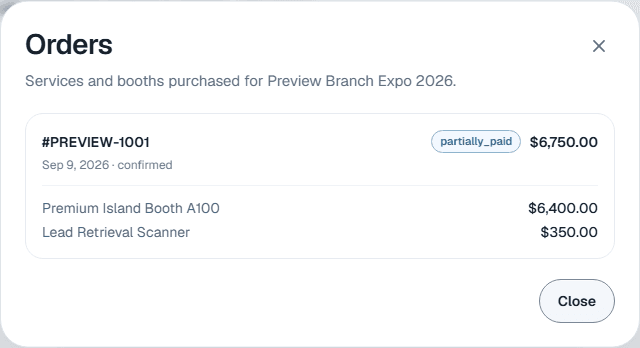
View orders on your profile row lists the booths and services you have bought for that show.
Each order shows its number, payment status and total, the date, the order status, and the items with their quantities and amounts.
What the statuses mean
Here is what each status means.
Payment status
| Shown as | Meaning |
|---|---|
| Unpaid | No payment received yet. |
| Awaiting offline payment | You chose to pay by check, wire or invoice, and your organizer has not recorded the payment yet. |
| Partially paid | Part of the total is paid, for example a deposit. |
| Paid | Paid in full. |
| Refunded | Your organizer refunded the order. |
Order status
| Shown as | Meaning |
|---|---|
| Submitted | Your order was received. |
| Awaiting organizer approval | Your organizer approves orders before confirming them. |
| Confirmed | Your organizer confirmed the order. |
| Booth assignment pending | Your organizer still needs to assign your booth. |
| Canceled | The order was canceled. |
Paying a balance
The orders list is read-only, and there is no pay button here. To pay what you owe, use the payment link in your invoice or payment request email. See Pay an open balance.
An order is missing
Your organizer can hide orders from the portal: all of them, or only those with a balance still due. If View orders is missing from your row, or an order you expect is not listed, check your email for the invoice or ask your show organizer.
Still need help?
For questions about your show, booth or invoice, contact your show organizer. Their contact details are in your invite and order emails. Who to ask
Last updated September 25, 2026