
Your invite link is expired or not working
What to do when the invite link says it is invalid or expired, or sends you to sign in.
Invite links are personal and time-limited. Here is what each problem means and how to fix it.
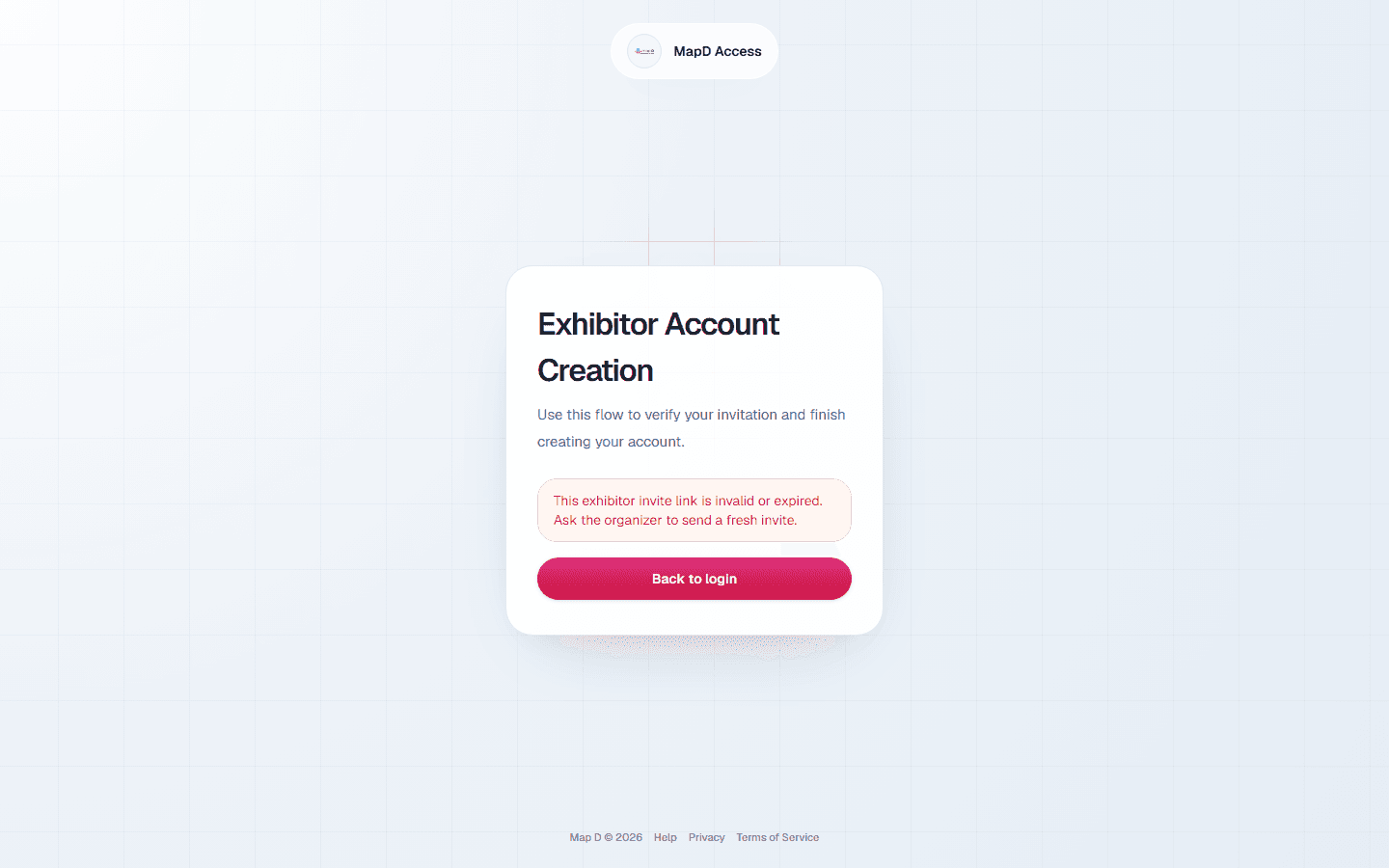
"This exhibitor invite link is invalid or expired"
Invite links stay valid for 30 days after they are sent, and each one can only be used once. You see this message when:
- The invite is more than 30 days old.
- You, or a colleague, already used the link to set up the account.
- Your organizer sent a newer invite, which replaces the old one.
How to fix it: ask your show organizer to send a fresh invite. Use the newest email you receive.
The link sends me to sign in instead of setup
This means your email address already has a Map D account that has been used, possibly from another show that uses Map D. Sign in with your existing password. If you do not remember it, select Forgot password? on the login page. See Sign in and reset your password.
The email address it asks me to confirm is not mine
The invite was sent to the contact your organizer has on file for your company. Ask your organizer to update your company's contact email or the email assigned for portal access, and then to resend the invite.
The button does nothing, or the page will not load
- Copy the link from the email and paste it into your browser's address bar.
- Try a different browser, or turn off any extension that blocks links in email.
- Some company email systems rewrite links for security. If the link looks changed, ask your organizer to send the invite to another address.
Still need help?
For questions about your show, booth or invoice, contact your show organizer. Their contact details are in your invite and order emails. Who to ask
Last updated September 30, 2026