
Booth holds and the checkout timer
How long your booths are held while you check out, how to get more time, and what happens when it runs out.
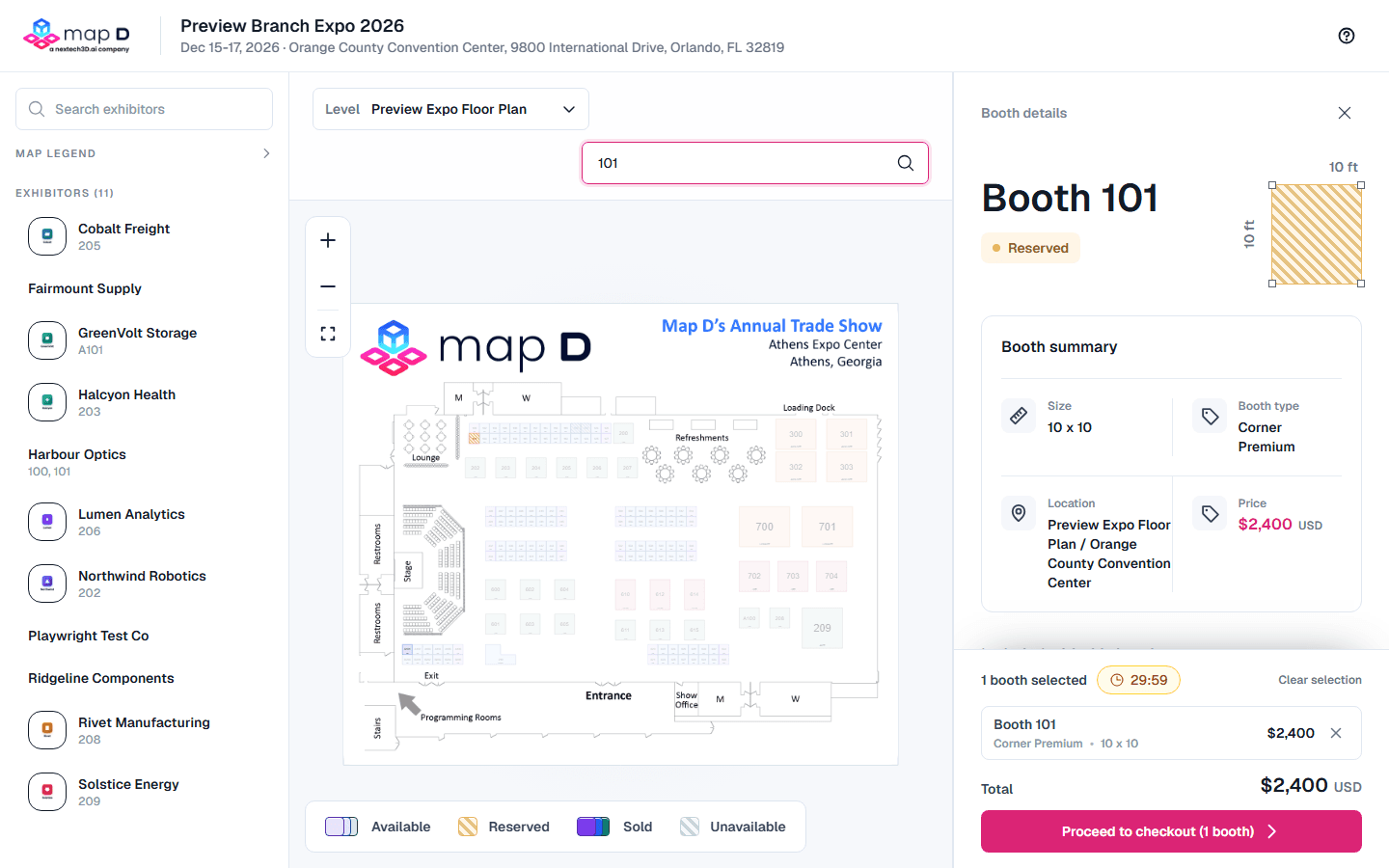
When you select a booth, Map D holds it for you so nobody else can take it while you check out. The hold lasts for a set time, shown as a countdown on the floor plan and at checkout.
How long you have
Your organizer sets the time. It is usually 20 minutes. The countdown starts with the first booth you select, and adding more booths normally does not restart it. The timer turns red when two minutes are left.
Get more time
At two minutes, Map D asks "Are you still there?". Select I'm still here to add more time. Most shows allow a couple of extensions. The window tells you how many you have left. When none remain, finish checking out before the timer runs out.
If the timer runs out
Your booths are released and you go back to the floor plan with the message "Your cart expired and the reserved booths were released." Select your booths again to start over. If someone else picked them in the meantime, choose different ones.
Once you submit your order
- Paying by card or bank account: the countdown keeps running until you finish paying. If you leave the payment page without paying, the booths are released when time runs out.
- Paying offline, or when your organizer approves orders: the countdown stops. Your organizer holds the booths while they wait for your payment or review your order.
If you see "The event organizer canceled your reservation", your organizer released the booths. Contact them if you did not expect this.
Still need help?
For questions about your show, booth or invoice, contact your show organizer. Their contact details are in your invite and order emails. Who to ask
Last updated September 25, 2026